
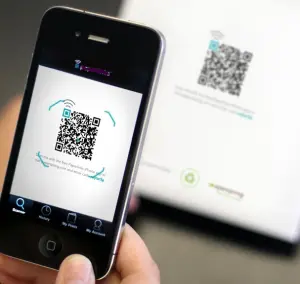
 U3A Brisbane uses our own internal QR Code system to record class attendances.
Here's how our system works:
1. Tutors of face-to-face will be provided with a sheet containing a QR Code (example below) specific for their class.
2. On entry to the class each week, members will be asked to scan the code with their mobile phone. Our app will then ask you to enter your member number and surname.
3. To avoid congestion at the sign-in desk, once the screen has recognised the code please go to your seat to enter the details. Your attendance will then be entered into the class roll on the U3A system.
4. If a fellow class member has no phone, you can assist them by entering their details on your phone.
QR Codes are now common in cafes, restaurants and other public places for various purposes. You simply point your phone camera at the code and it should show a link to our site. Touch that link and it will take you to our app.
Some phones may not have this facility built-in and in this case you will need to download a QR Scan app from the phone’s app store. We recommend the following free apps, but there are others that are equally suitable:
QR and Barcode Scanner
Kaspersky QR Scanner
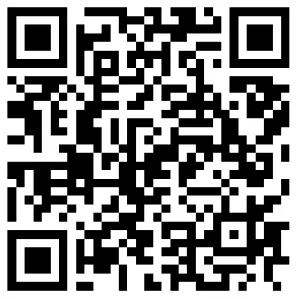
The code below can be used to test your phone or other device. It should return a green tick:
| Tutors: If you have a district class, the office will mail laminated sheets to you, which will be easier to sanitise for re-use. You are also able to print QR Sheets from the Tutor Login if required. For City Campus classes, laminated sheets will be kept in the office at each venue and provided prior to each class. Tutors need to sign in as well as students. The tutor's screen will display a list of students who have registered, to enable you to check attendance. This screen can be refreshed if additional class members arrive. If you have any questions, contact: |
 |
| Tutors: If you have a district class, the office will mail laminated sheets to you, which will be easier to sanitise for re-use. You are also able to print QR Sheets from the Tutor Login if required. For City Campus classes, laminated sheets will be kept in the office at each venue and provided prior to each class. Tutors need to sign in as well as students. The tutor's screen will display a list of students who have registered, to enable you to check attendance. This screen can be refreshed if additional class members arrive. If you have any questions, contact: |